
WhatsApp Business App vs API: Which One Should Your Business Use?
By ThinkCloud
If you’re trying to use WhatsApp for your business, you’ve probably hit the same wall: should you use the free WhatsApp Business App, or is the “API” something you actually need? The two sound similar, but they’re built for completely different stages of business.
This guide explains the difference in plain English, what the API actually costs (including the October 2026 pricing updates), and how you can run the API without hiring a developer — using Chatwoot and ChatKit.
The short version
- WhatsApp Business App — a free app for one phone, one number. Great for a small shop answering messages manually. No automation, no team inbox, no CRM integration.
- WhatsApp Business API — a programmatic connection that lets you run WhatsApp at scale: multiple agents, chatbots, CRM sync, templates, analytics. This is what businesses use once they outgrow the app.
The API isn’t harder to use if you have the right tools — and that’s exactly where Chatwoot + ChatKit come in.
WhatsApp Business App: what it’s actually for
The app (available on Android and iOS) is designed for one person, one device, one number. You can:
- Set up a business profile (hours, catalog, links)
- Use quick replies and auto-replies
- Broadcast messages to up to ~5 lists
- Tag and label conversations
What it can’t do:
- Multiple agents — only one person can be signed in per phone
- Automation — no real bots, no forms, no menu flows
- CRM integration — no API to connect your database
- Templates — no approved template messages (marketing, utility, OTP)
- Analytics or scale — no dashboard, no bulk sending
The app is free, but it caps out fast. The moment you have two people replying or want a bot answering FAQs at 2am, you’re stuck.
WhatsApp Business API: what it actually is
The API (specifically the Cloud API, which Meta hosts) is a way to send and receive messages programmatically. It requires:
- A Meta Business account with a verified business
- A phone number connected to the API
- A solution provider or your own integration (this is where Chatwoot/ChatKit fits)
The API enables:
- Multiple agents in one shared inbox
- Chatbots — menu flows, forms, keyword automation
- Templates — approved marketing, utility, and authentication messages
- CRM integration — conversations and data flow into your existing tools
- Webhooks — trigger automations on every message
It’s not a “download and install” thing — it’s a connection you build. That’s why most businesses think they need a developer. The good news: you don’t.
What the WhatsApp API actually costs (2026 edition)
Meta uses a message-based pricing model. Here’s the honest picture — including the changes rolling out August 1 and October 1, 2026:
What’s free:
- Free entry point windows — when a customer starts a conversation from a click-to-WhatsApp ad, QR code, or Facebook/Instagram link, all messages are free for 72 hours, including templates.
What’s lowest-cost (and where most support bots live):
- Service conversations — a customer messages you first, and your replies within the window. This is the cheapest category and where menu bots, FAQ replies, and handoffs happen. Note: Meta is updating service and utility message pricing on Oct 1, 2026 — exact rates are published by September 1, 2026.
What costs the most:
- Marketing template messages — promos and campaigns are the expensive category, and pricing moved to per-message billing.
The honest take: for a support/automation bot, your costs stay in the lowest tier — customer-initiated conversations answered by a bot. You won’t pay marketing rates unless you start blasting promotions. But we can’t promise “free forever” — the Oct 1, 2026 updates touch service and utility messages, so always check Meta’s current rate card before scaling.
Why the API is the right move for growing businesses
Once you have even a small team, the app’s limits start costing you real money:
- A customer messages at 10pm — nobody replies until morning (the app has no bot)
- Two agents need to see the same conversation (the app is one phone)
- You want the conversation to save to your CRM (the app has no API)
The API fixes all three. And with Chatwoot + ChatKit, you get all of it without writing code.
Chatwoot + ChatKit: the seamless way to run the WhatsApp API
This is where we come in. Instead of building webhook integrations and bot logic yourself, you use tools built for the job:
- Chatwoot — the open-source shared inbox. Connect your WhatsApp API number, and your whole team sees conversations in one place, with labels, assignments, and history. It’s the multi-agent inbox the Business App can’t give you.
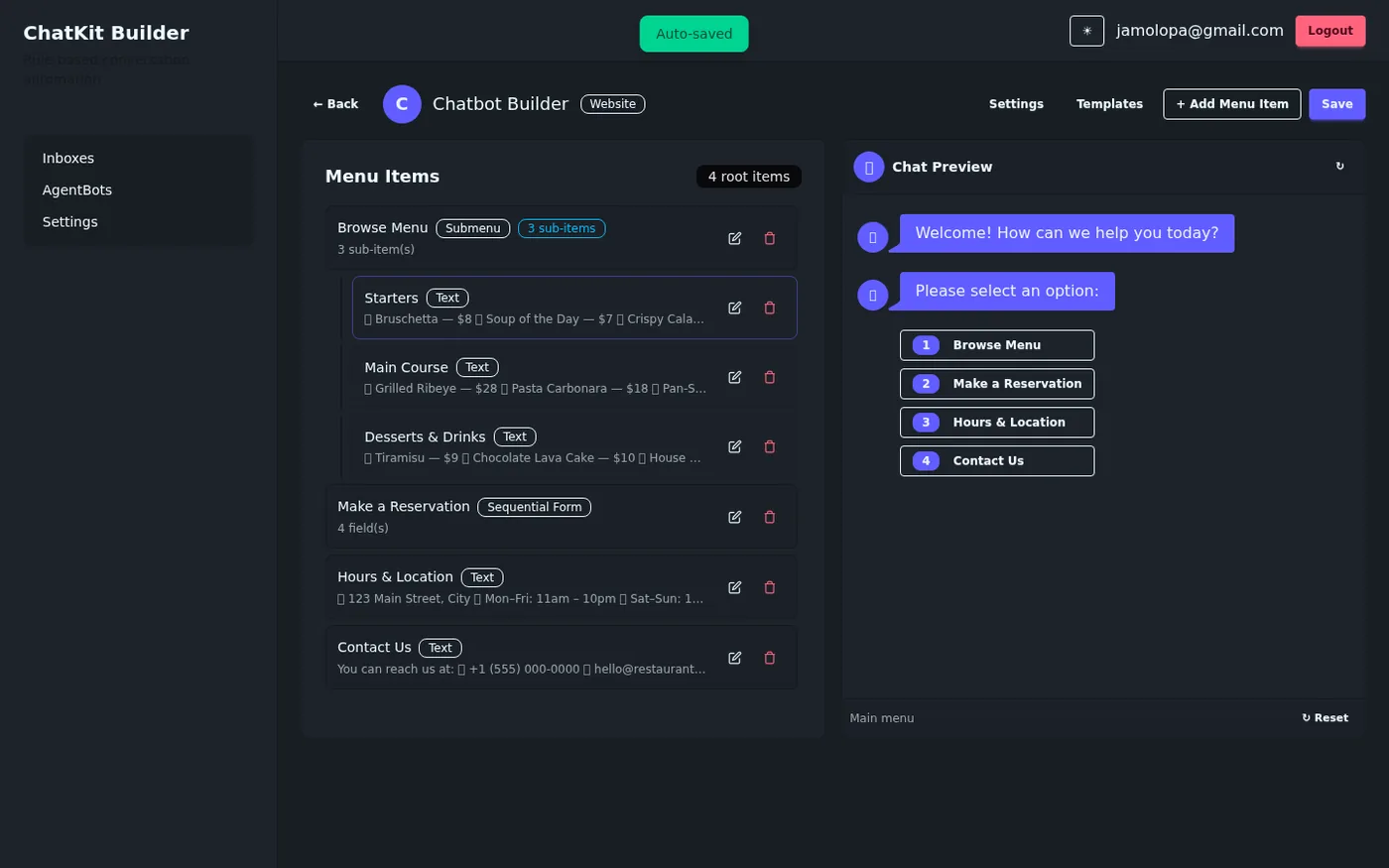
- ChatKit — our rule-based bot builder for Chatwoot. Build menu flows, forms, and handoff logic visually — no code. Your WhatsApp bot answers FAQs, collects leads, and hands off to an agent with full context.
The result: the WhatsApp API’s power, without the developer project. You get the shared inbox, the bot, the templates, and the CRM integration — managed, deployed, and supported by us.
Which should you choose?
| WhatsApp Business App | WhatsApp API (+ Chatwoot + ChatKit) | |
|---|---|---|
| Best for | Solo operators, small shops | Teams, growing businesses |
| Agents | One phone | Unlimited, shared inbox |
| Bots | Auto-replies only | Visual menu bots, forms, handoff |
| Templates | No | Yes (marketing/utility/auth) |
| CRM | No | Yes, built-in |
| Cost | Free | Usage-based, lowest tier for support |
| Setup | Download | We handle it |
If you’re a one-person shop answering a few messages a day, the app is fine. The moment you want a bot, a team, or to actually track leads — move to the API. And when you do, let us handle the integration.
📚 Read how ChatKit builds bots for Chatwoot · Book a free consultation